Members Only
OBS Plugin - StreamUP Test Card
StreamUP Test Card
Turn any source into a labelled test card, so you can build and rehearse your overlay before the real inputs exist.
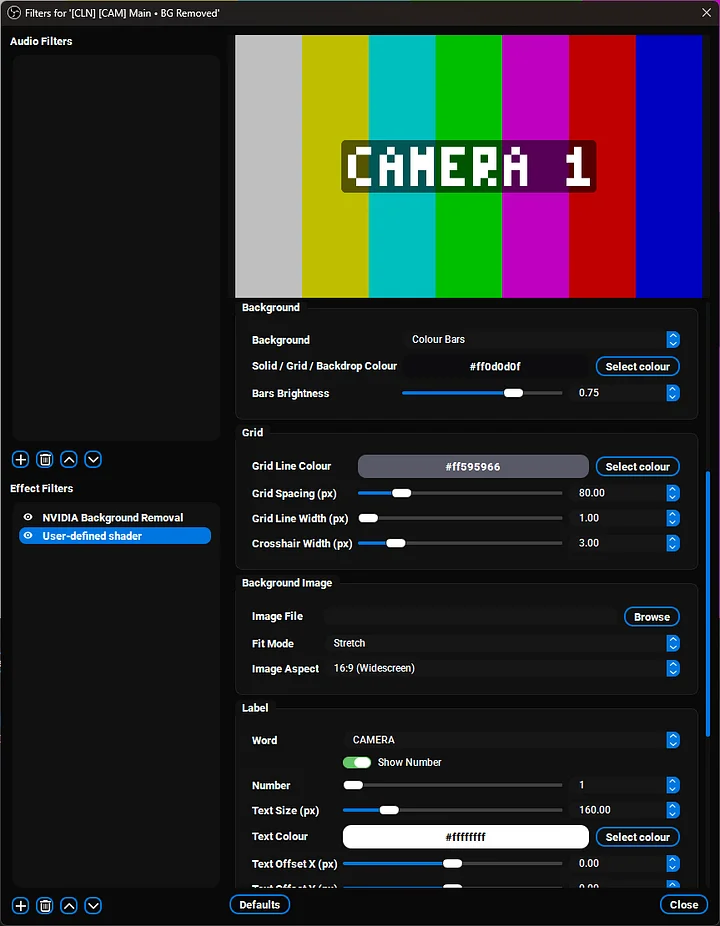
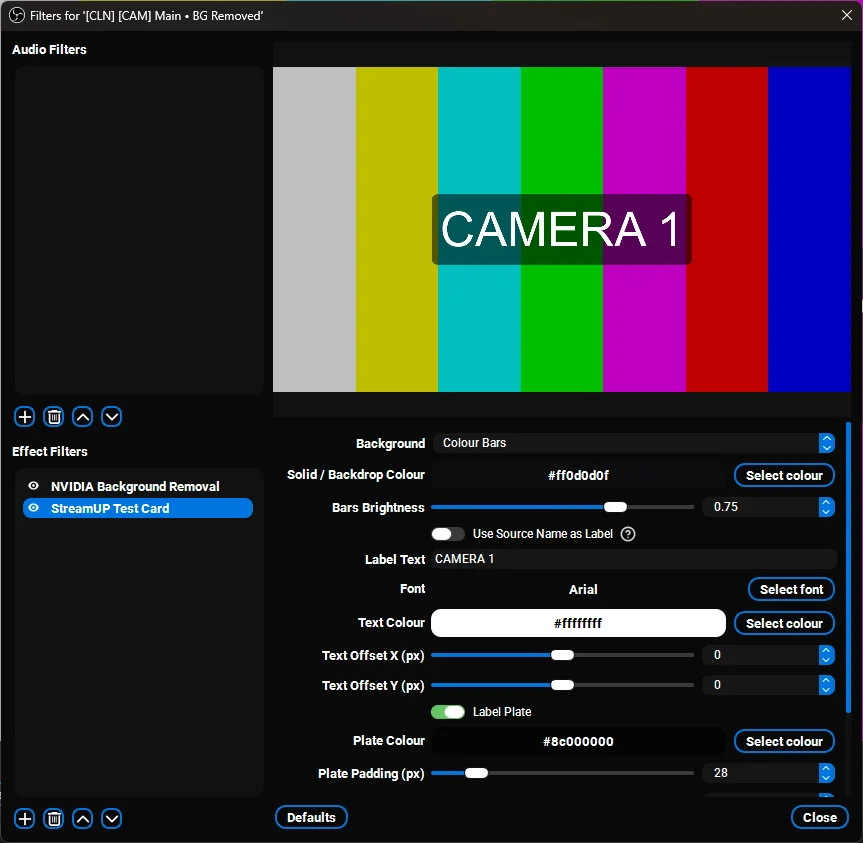
Colour bars, an alignment grid, a solid colour, or your own image, with a bit of text on top so you know what you're looking at. Built for placeholder inputs: frame a multi-cam layout with dummy cameras before a single capture card is plugged in.
This is the native version of the Test Card shader. Same idea, but you get real typed text in any font, a settings panel that only shows the controls that matter, and it can label itself from the source name.
Key features
- Four backgrounds. SMPTE style colour bars, an alignment grid with a centre crosshair, a solid colour, or your own image with Stretch, Fit or Fill.
- Real typed text. Any label you want, in any font you have installed. Not a preset word and a number like the shader had to make do with.
- Auto-label from source name. Turn it on and the card names itself after the source the filter is on. Handy for a rack of dummy cameras.
- Adaptive settings. Grid controls only show on the grid, image controls only on Image. No scrolling past settings that don't apply.
- Label plate and frame border. Optional rounded plate behind the text so it stays readable over busy bars, and a border round the edge if you want one.
- Never vanishes. An unplugged or starting capture device reports no size, so the card draws at canvas size instead of disappearing exactly when you need it.
Getting started
- Run the installer and restart OBS.
- Apply the Test Card filter to a Colour Source (or any full-frame source).
- Pick a background and type your label. For a set of dummy cameras: four Colour Sources, this filter on each, labelled CAMERA 1 to 4.
Requirements
- Windows, macOS, or Linux
- OBS Studio 31.1 or newer
Patch notes
v0.0.1, 2026-07-17
- First release. Four backgrounds, real typed text, auto-label from source name, adaptive settings, label plate and frame border.
- Cards draw at canvas size when the target source has no frame, so an unplugged capture device never makes the card vanish.
Support
If something's broken or you want another background type, give me a shout on Discord. Always the fastest way to get it onto the next patch.