Members Only
OBS Plugin - StreamUP ProText
StreamUP ProText
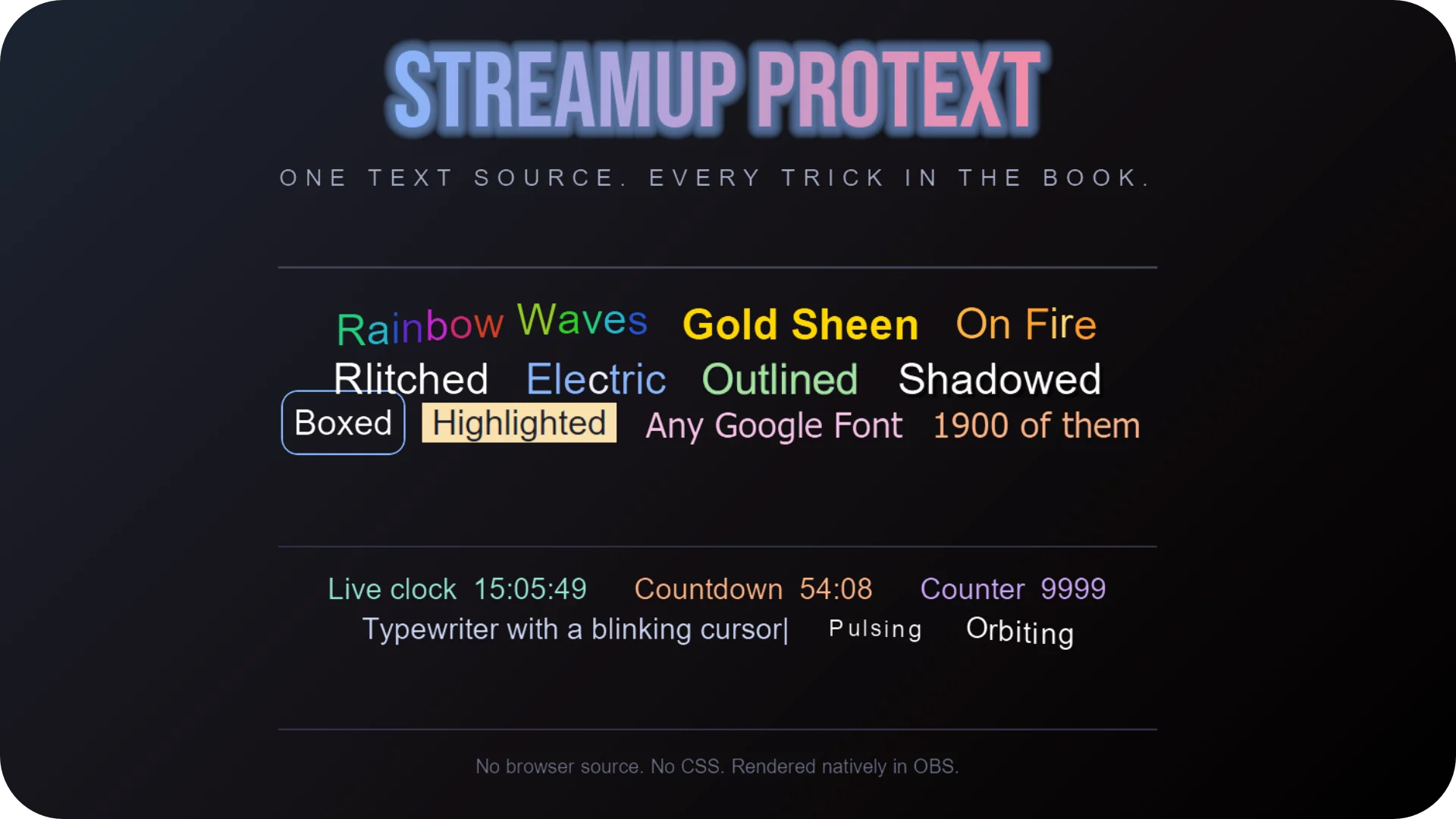
A rich text source for OBS. Type your text, pick effects from the editor. Bold, colours, gradients, animations, live countdowns, Google Fonts, emotes, your LiveSplit timer. All rendered natively inside OBS. No browser source, no HTML.
If you've ever fought with text overlays in OBS, this fixes that.
Features
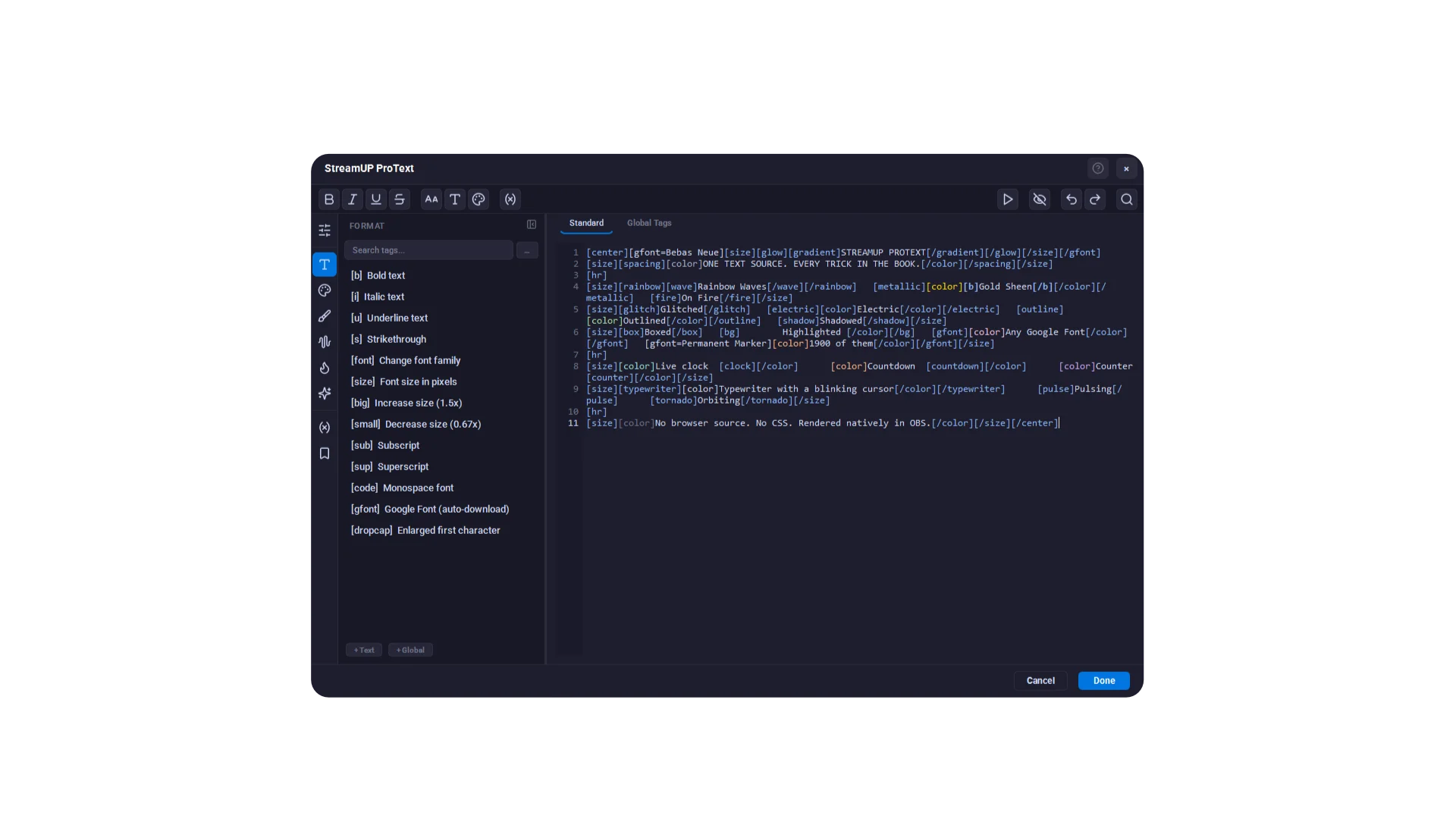
- A proper editor. Design view shows your text styled, Code view shows the raw tags. Click any tag to change it in the Properties panel.
- Drag and drop. Drag effects, emotes, variables and presets straight into your text. Hover an effect to see it working first.
- Animations. Wave, bounce, rainbow, typewriter, glitch, fire, matrix. Per-character with a staggered ripple.
- Live content. Countdowns, timers, clocks with timezones, dates, animated counters.
- LiveSplit. Your timer, delta and splits list in any ProText source, coloured just like LiveSplit.
- Emote picker. Every Twitch, 7TV, BTTV and FFZ emote your channel can use, one click to add.
- Google Fonts. The full catalogue, downloaded and cached for you.
- Works with Streamer.bot. Set text and variables over WebSocket, or read the text from a file.
Setup
- Claim it with your membership and the download link lands in your inbox.
- Run the installer. It finds your OBS by itself and works on OBS 31, 32 and 33.
- Add a source, pick StreamUP ProText. The editor opens.
- Type your text, select some words, then double-click an effect on the left.
Patch notes
v0.0.6, 2026-10-31
- Works on OBS 33. The installer finds your OBS by itself, installed or portable.
- A Properties panel: click any tag and change its settings with proper controls.
- Design view and Code view, one button to swap.
- An Emotes page with every emote your channel can use, plus one
[emote]tag for all of them. - New
[livesplit]and[timer]tags. - Drag tags, variables, presets and emotes into your text. Hover a tag to preview it.
- Favourite tags, whole-text effects, and export or import a source as a file.
- Read your text from a .txt file that updates on screen when it changes.
- Every StreamUP window resizes now. Plus a tidier Effect Reference and a batch of fixes.
Every older version is in the patch notes on StreamUP.tips.
Docs and Support
- Full docs: docs.streamup.tips
- Discord and community: StreamUP.tips