OBS Shader - StreamUP Test Card
StreamUP Test Card Shader
Turn any source into a labelled test card, so you can build and rehearse your overlay before the real inputs exist.
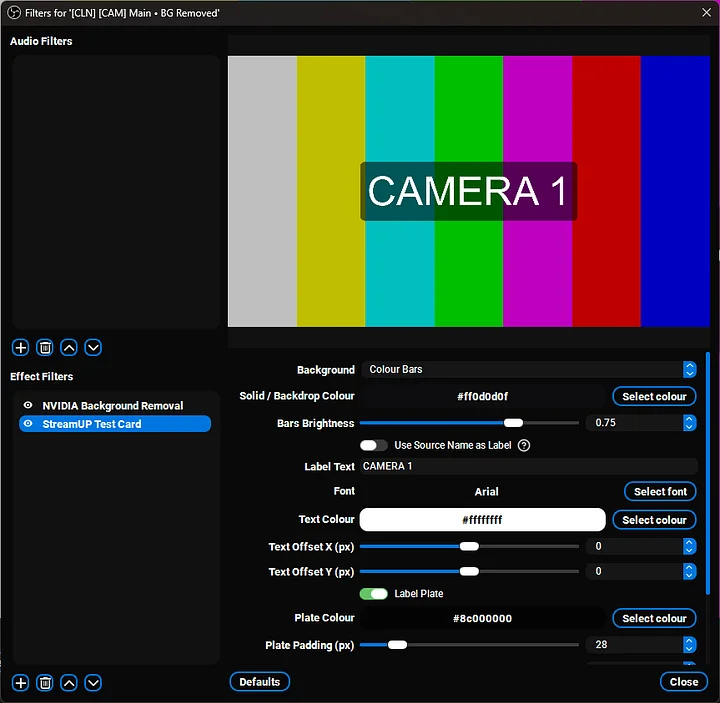
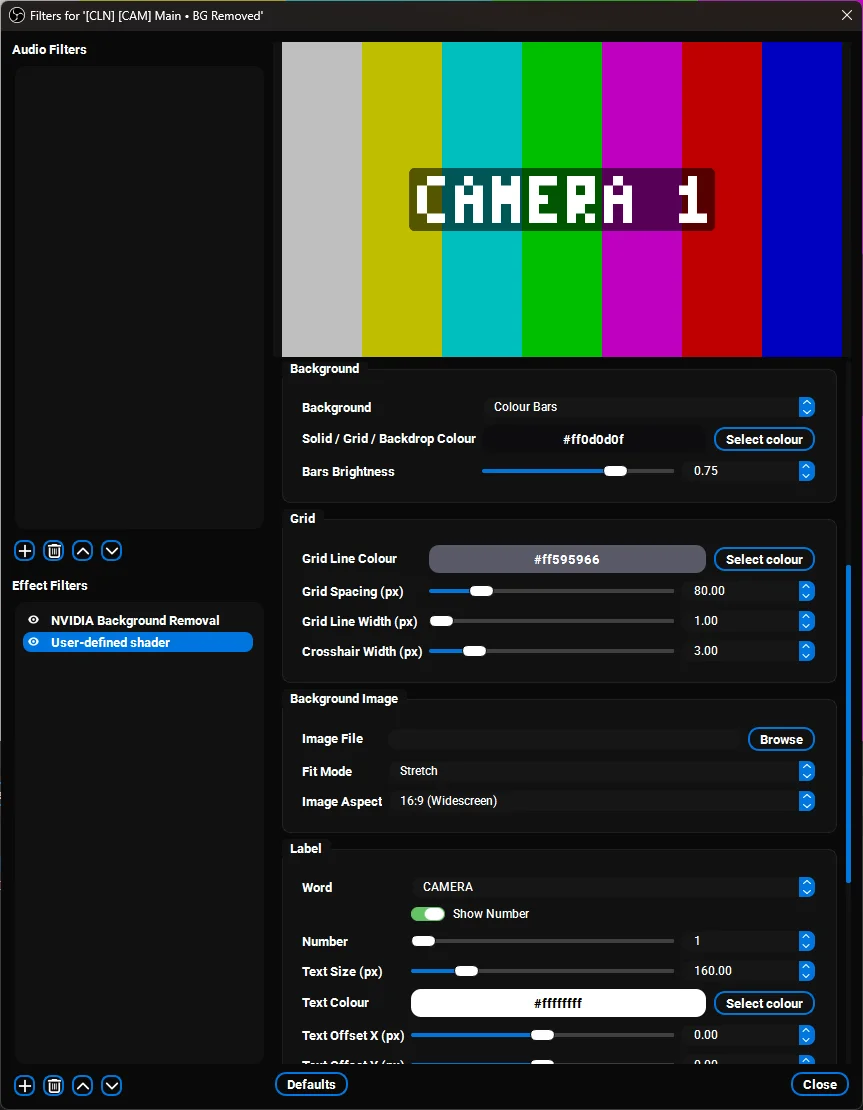
Colour bars, an alignment grid, a solid colour, or your own image, with a label on top so you know what you're looking at. Built for placeholder inputs: add four Colour Sources, drop this filter on each, label them CAMERA 1 to 4, and frame a multi-cam layout on a machine that doesn't have the capture cards plugged in yet.
This is the shader version, running on the free obs-shaderfilter plugin by Exeldro. If you want free-typed labels in any font, there's also a native Test Card plugin. Same idea, this one is the lighter drop-in.
Key features
- Four backgrounds. SMPTE style colour bars, a grid and crosshair alignment chart, a flat colour, or your own image with Stretch, Fit or Fill.
- Preset word labels. Build the label from a word dropdown (CAMERA, SOURCE, INPUT, FEED and more) plus an optional number. Covers CAMERA 1 to 4, INPUT 1 to 4 and friends.
- Label plate. Optional rounded plate behind the text so it stays readable over busy bars.
- Frame border. Optional border round the edge of the card.
- Set and forget. Configure each instance once and it just sits there doing its job.
One honest limitation: shaders can't read the source name or accept typed text, OBS only hands them numbers, colours and toggles. That's why the label is a word dropdown plus a number. If you need proper typed text, the native Test Card plugin does exactly that.
Getting started
- Install the free obs-shaderfilter plugin if you don't have it.
- Add the shader file to your shaders folder.
- Apply a User-defined shader filter to a Colour Source, load the file, pick a background and build your label.
Requirements
- Windows, macOS, or Linux
- OBS Studio
- obs-shaderfilter plugin (free, by Exeldro)
Patch notes
v0.0.1, 2026-07-03
- First release. Four background styles: SMPTE style colour bars, grid and crosshair alignment chart, flat colour, or your own image with Stretch, Fit or Fill mapping.
- Label built from a preset word plus number using a baked 3x5 font, with an optional plate behind it and an optional frame border.
Support
If something's broken or you want another background style, give me a shout on Discord. Always the fastest way to get it onto the next patch.